Introduction
Understanding AI Suggestions
Identifying Incorrect Suggestions
Correcting AI Suggestions: Step-by-Step
Using the Rejection Feature
Manual Overrides
Providing Structural Feedback
Audit Trail and History
Best Practices
FAQ
Verifi's AI analyzes your financial data and provides automated suggestions to streamline your daily workflows. While the AI is highly accurate, it may occasionally make incorrect suggestions. This guide explains how to identify, correct, and provide feedback on AI suggestions to ensure data accuracy and continuously improve the system's performance.
Critical: Accepting AI suggestions will result in postings to your e-conomic ERP system. If the proposal has mistakes, it will be posted incorrectly to the ERP. Always review suggestions carefully before acceptance.
After completing your checklist review, Verifi's AI presents suggestions. The AI evaluates transaction data and recommends actions such as:
Account selection and categorization
VAT code assignment
Discrepancy identification
Reconciliation proposals
Each suggestion is generated based on historical patterns, accounting rules, and learned behavior from previous corrections.
Wrong Account Selection The AI may suggest posting a transaction to an incorrect general ledger account. This typically occurs with ambiguous transaction descriptions or unusual vendor patterns.
Wrong VAT Code The AI may assign an incorrect VAT rate or exemption code, particularly for transactions involving mixed VAT rates, international suppliers, or special VAT treatments.
Other Potential Errors
Incorrect date assignments
Mismatched currency codes
Incorrect vendor or customer associations
Review each AI suggestion carefully by:
Going through the action checklist items one by one
Some examples of where errors can be found:
Verifying the suggested account aligns with the transaction nature
Confirming the VAT code matches regulatory requirements
Cross-referencing transaction details with source documents
Checking for logical consistency with similar historical transactions
Insert Image
Example of an AI suggestion displaying account selection and VAT code recommendations
When you identify an incorrect suggestion, you have two primary options: reject and regenerate, or provide detailed feedback for structural improvements.
Use Rejection + Comments for:
Individual transaction errors that need immediate correction
Specific account or VAT code mistakes
Quick corrections that can be resolved in the current workflow
Use the Feedback Tab for:
Recurring patterns of errors
Systemic issues affecting multiple transactions
General suggestions for improving Verifi's functionality
Workflow or feature enhancement requests
Locate the suggestion field that contains the error (account number, VAT code, etc.).
Select the reject option associated with the incorrect suggestion. This will open a comment field.
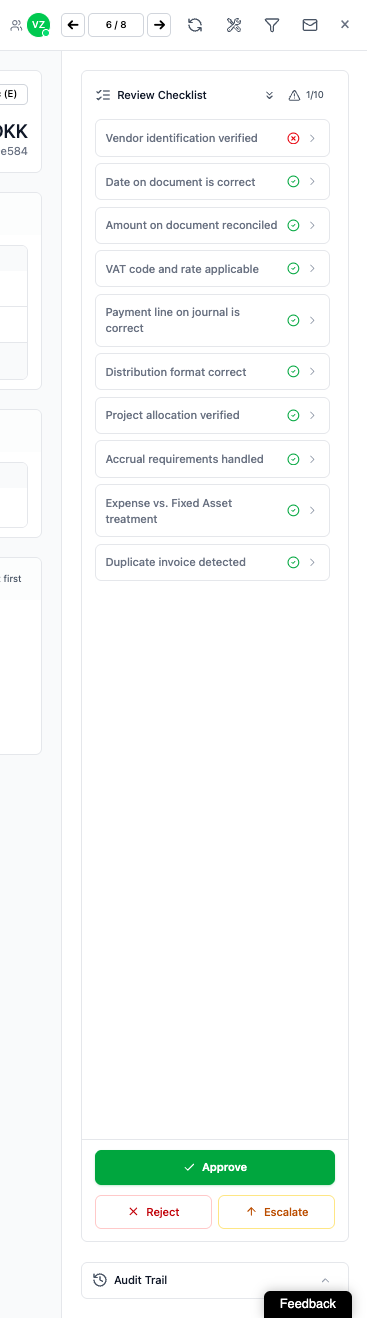
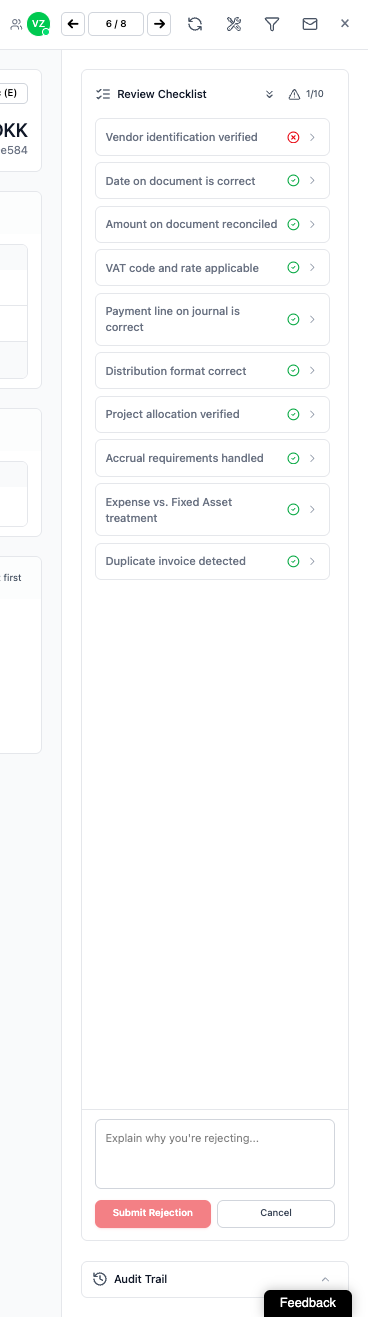
Provide clear, actionable comments explaining why the suggestion is incorrect. Your input trains the AI and improves future accuracy.
Effective Comment Examples:
For Wrong Account Selection:
"This should be account 6100 (Office Supplies), not 6200 (Travel Expenses). Transaction is for printer paper from Staples."
"Consulting fees should always go to account 7300, not 7100."
"The correct account is 4010 - this is a product sale, not a service."
For Wrong VAT Code:
"This supplier is UK-based, should use VAT code 3 (20% standard rate), not code 0."
"Books are zero-rated for VAT, not exempt. Use code 0."
"International service = reverse charge VAT code 5, not standard rate."
Best Practices for Comments:
State both the incorrect suggestion and the correct answer
Include the reason for the correction when possible
Be specific about account numbers and VAT codes
Reference relevant accounting standards or company policies if applicable
After submitting your rejection with comments, the AI will immediately process your feedback and generate a new suggestion.
Examine the regenerated suggestion carefully:
Verify the correction addresses your feedback
Confirm all related fields are accurate
Accept if correct, or reject again if further refinement is needed
Note: There is no limit to how many times you can reject and regenerate. Continue the process until the suggestion is accurate.
Once the AI provides the correct suggestion, accept it to proceed. The correction data will be used to train the AI and improve future suggestions for similar transactions.
In situations where you prefer direct control or need to bypass the AI regeneration process, you can manually override suggestions.
You need to enter a highly specific or unusual code not frequently used
The transaction requires custom handling outside standard patterns
Time-sensitive corrections that cannot wait for AI regeneration
After rejecting an incorrect suggestion, you can manually input the correct values:
Access the manual entry fields for the relevant transaction
Select the correct account from the dropdown or enter the account number directly
Choose the appropriate VAT code from the available options
Verify all related fields are accurate
Save the manual entry
Show Image
Manual selection interface for accounts and VAT codes
Important: Manual corrections also contribute to AI training. Your manual selections are logged and used to improve the AI's learning model.
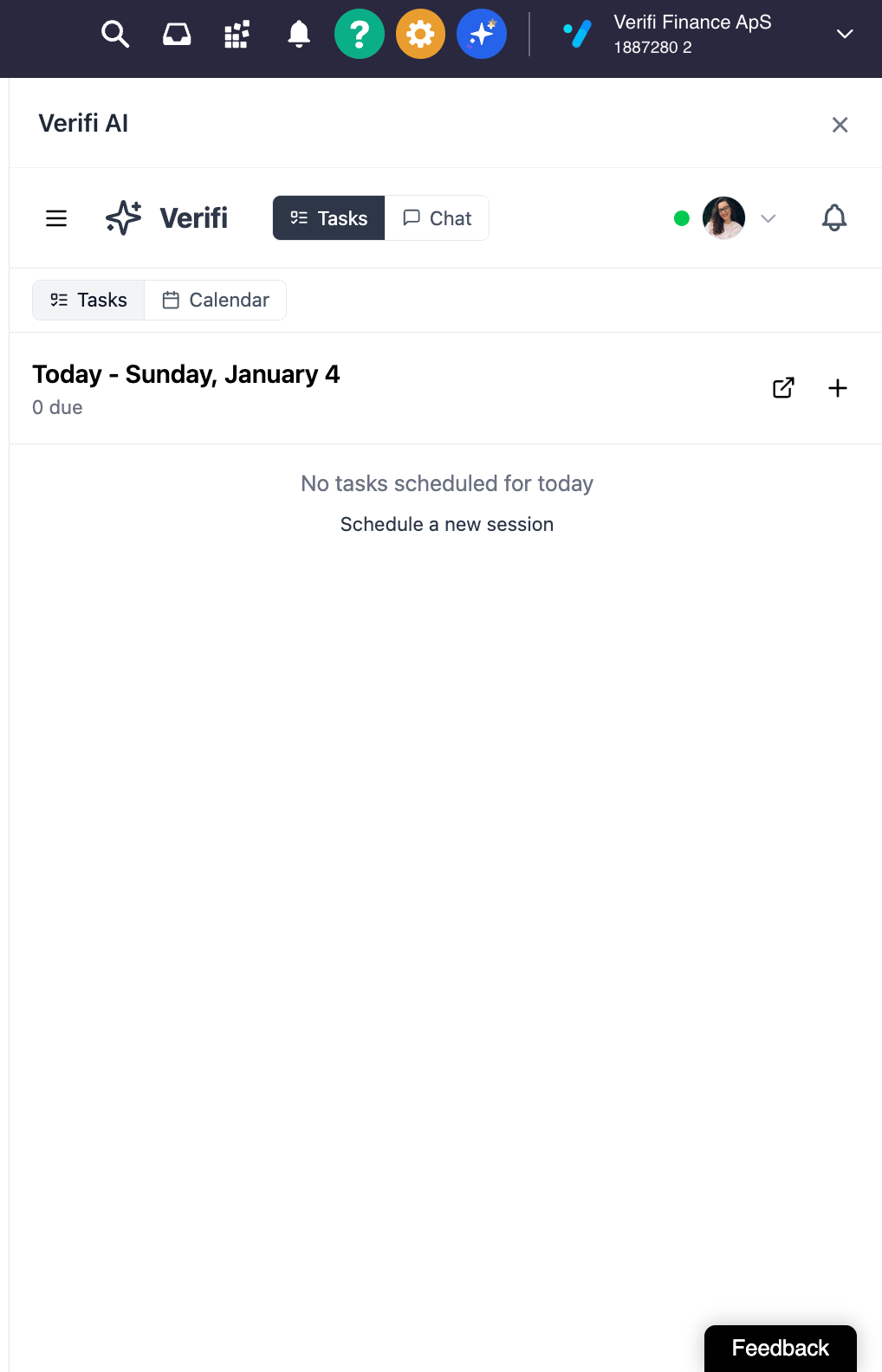
For broader issues, recurring problems, or general suggestions about Verifi's functionality, use the Feedback tab in the main interface.
Navigate to the Feedback section in the Verifi main interface menu.
Recurring Error Patterns: "The AI consistently suggests account 6400 for Amazon Business purchases, but our policy requires splitting these between accounts 6100 (supplies) and 6300 (equipment) based on item type."
Systemic Issues: "All transactions from our German subsidiary are receiving incorrect VAT treatment. The AI doesn't recognize the reverse charge mechanism for intra-EU services."
Feature Requests: "It would be helpful to have a bulk reject option when multiple suggestions in a batch are incorrect for the same reason."
Workflow Improvements: "The AI should flag transactions above €10,000 for manual review regardless of confidence level."
Your feedback is reviewed by the Verifi team and may result in:
AI model adjustments
New feature development
Updated training data sets
Configuration changes for your organization
Verifi maintains a comprehensive audit trail that logs all user actions, AI suggestions, and corrections.
Navigate to the audit trail section in your Verifi interface to review historical actions.
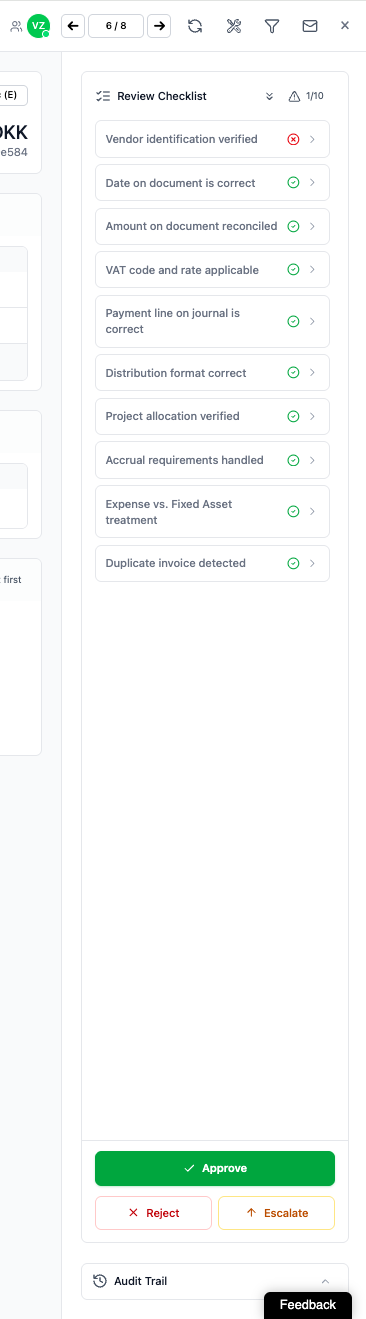
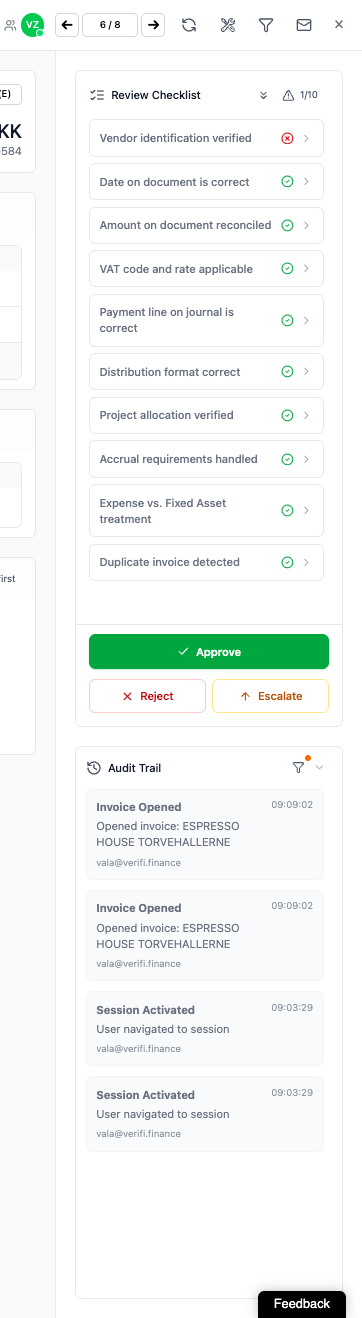
The audit trail logs changes made by the user with a: date, time and user ID stamp for reference.
Quality Control:
Review your correction history to identify patterns
Verify that corrections were applied correctly
Confirm data integrity before period close
Training and Compliance:
Document decision-making for audit purposes
Train team members using real correction examples
Demonstrate proper accounting treatment to stakeholders
Performance Monitoring:
Track how AI accuracy improves over time
Identify areas where additional training data is needed
Measure reduction in correction frequency
Review Every Suggestion: Even high-confidence AI suggestions should be verified before acceptance.
Provide Clear Comments: Detailed rejection comments accelerate AI learning and reduce future errors.
Correct Immediately: Address errors as soon as they are identified to prevent incorrect postings to your ERP system.
Use Specific Language: Reference exact account numbers, VAT codes, and accounting standards in your comments.
Monitor Patterns: If you notice recurring errors, escalate to structural feedback rather than correcting individually each time.
Leverage the Audit Trail: Regularly review your correction history to ensure consistency and accuracy.
Don't Accept Without Review: Never blindly accept AI suggestions without verification, regardless of confidence indicators.
Don't Use Vague Comments: Comments like "wrong" or "incorrect" don't help the AI learn. Always specify what is wrong and what is correct.
Don't Ignore Recurring Issues: If the same error appears repeatedly, use the Feedback tab to address the systemic problem.
Don't Skip Documentation: Always add comments when rejecting suggestions, even if the error seems obvious to you.
Don't Delay Corrections: Accepted suggestions are posted to your ERP system. Correct errors before acceptance to avoid downstream complications.
Q: How long does it take for the AI to regenerate a suggestion after rejection?
A: Regeneration is immediate. The new suggestion appears within seconds of submitting your rejection and comments.
Q: Will my corrections affect other users' AI suggestions?
A: Yes. Your corrections contribute to the shared learning model, improving AI accuracy for your entire organization over time.
Q: Can I undo an accepted suggestion?
A: Once a suggestion is accepted and posted to e-conomic, you must make corrections directly in your ERP system following your standard reversal procedures. Use the audit trail to identify what was posted.
Q: What happens if I reject a suggestion multiple times?
A: You can reject suggestions unlimited times until the AI provides the correct recommendation. Each rejection with comments helps the AI refine its understanding.
Q: How do I know if the AI is learning from my corrections?
A: Monitor the frequency of similar errors over time. You should see a reduction in repeated mistakes for comparable transactions. The audit trail can help track this improvement.
Q: Should I reject suggestions that are "technically correct" but don't match our company policy?
A: Yes. If a suggestion doesn't align with your organization's accounting policies, reject it with an explanation referencing your policy. This trains the AI to follow your specific requirements.
Q: What's the difference between rejecting a suggestion and providing feedback?
A: Rejection addresses a specific incorrect suggestion on an individual invoice. Feedback addresses broader systemic issues, recurring patterns, or general platform improvements.
Q: Can I edit my rejection comments after submitting?
A: No. Comments are logged immediately upon submission. If you need to provide additional context, submit another rejection with the supplementary information or use the Feedback tab.
Q: Who can see my rejection comments and corrections?
A: Your rejection comments and corrections are visible to your organization, Verifi administrators and are used by the AI training system. They may also be visible in the audit trail to users with appropriate permissions.
Q: What if the AI keeps suggesting the same wrong answer even after multiple rejections?
A: This indicates a deeper training issue. Submit detailed structural feedback through the Feedback tab, including examples of the recurring error and your corrections. The Verifi team will investigate and adjust.
For Individual Transaction Errors:
Review AI suggestion
Click reject button if incorrect
Add detailed comments explaining the error and correct answer
Wait for AI regeneration (immediate)
Review new suggestion
Accept if correct, or repeat rejection process
Verify correction in audit trail
For Recurring or Systemic Issues:
Document the pattern of errors
Navigate to Feedback tab
Provide comprehensive description of the issue
Include examples and suggested solutions
Continue correcting individual transactions while awaiting resolution
Document Version: 1.0
Last Updated: January 5th, 2026
Published by: Verifi Finance ApS
Remember: Accurate financial data depends on your diligence in reviewing and correcting AI suggestions. Your corrections not only ensure your own data quality but also improve the system for all users.
